NoRedInk Writing Benchmarks provide administrators with powerful tools to monitor student progress toward mastery of standards-aligned writing skills! These benchmarks also deliver valuable data that enables teachers to make meaningful and informed instructional decisions throughout the academic year. If your instructional team has decided to implement NoRedInk Writing Benchmarks, check out the resources below to learn more about implementing this tool!
Creating a Writing Benchmark
❗ The ability to create Benchmarks requires access to our Admin Tools. Check out this article to learn how to gain administrator access in NoRedInk!
Once you've decided that Writing Benchmarks are aligned with your school or district's educational goals for the year, you'll need to log in to your account and select Admin Tools at the top of your dashboard to create the Writing Benchmark.
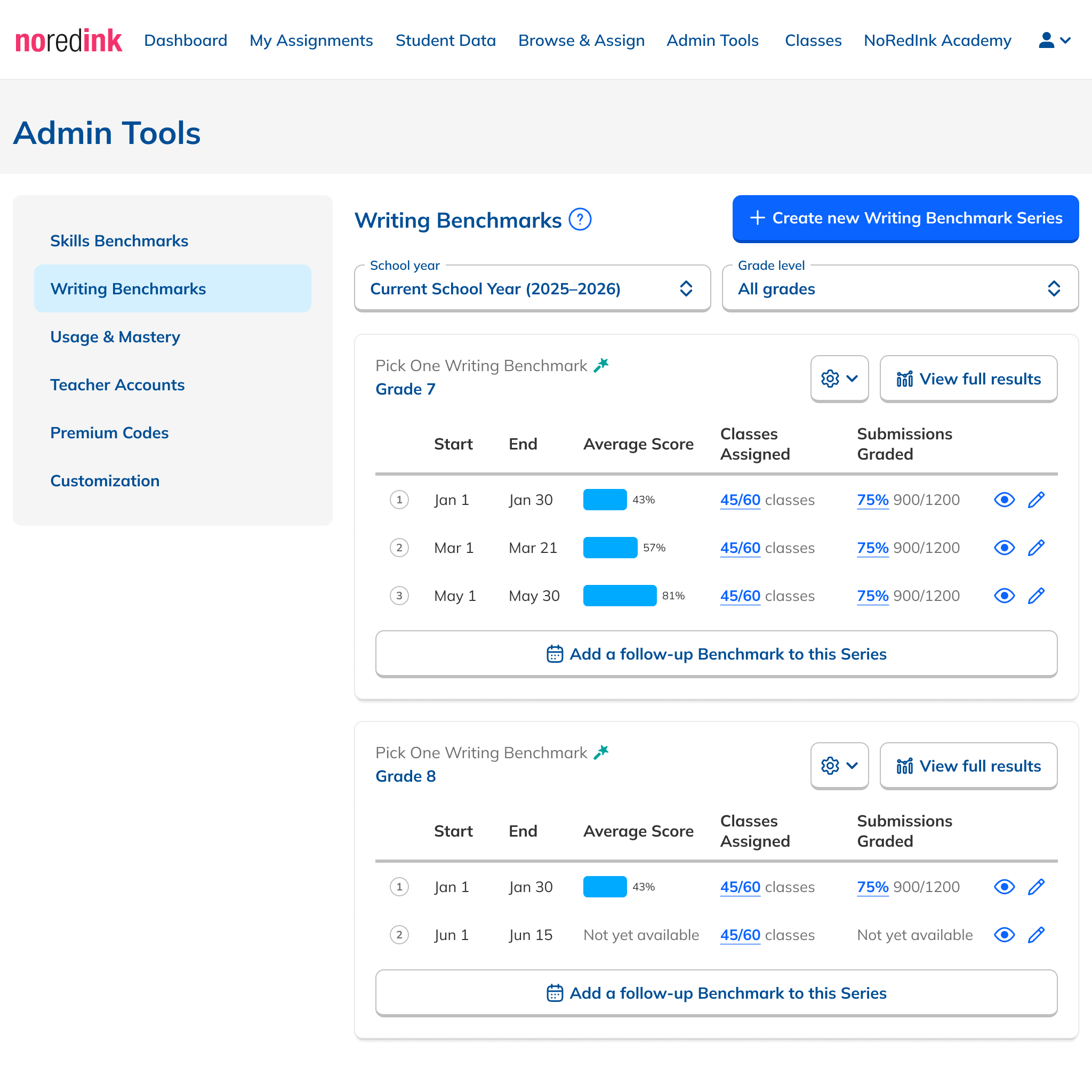
The Writing Benchmark created will be assigned to the schools and grade level chosen during setup, and teachers will begin seeing a notification 3 weeks before the administration window opens. For step-by-step instructions on creating your Writing Benchmark, you can check out this article!
Writing Benchmark Best Practices
Looking for ways to ensure smooth implementation, maximize student participation, and generate meaningful data? This article provides comprehensive guidance for school leaders implementing NoRedInk Writing Benchmarks. In this article, you'll find implementation advice for the entire benchmark process, including:
- Benchmark planning
- Pre-administration preparation
- Administration monitoring
-
Accessing results
Grade Norming and Its Importance
Reliable data to inform instruction across classrooms requires that teachers hold a common understanding of the rubric and how to apply it to student writing. NoRedInk’s Grading Assistant-enabled Writing Benchmarks provide a standardized approach to grading that helps support norming across classrooms. However, the final score is always validated by the teacher, who can make adjustments as needed. To ensure your teachers are aligned on the grading norm for the administration process, even when using Grading Assistant-enabled prompts, check out our article on grade norming with Writing Benchmarks!
Reviewing Benchmark Data
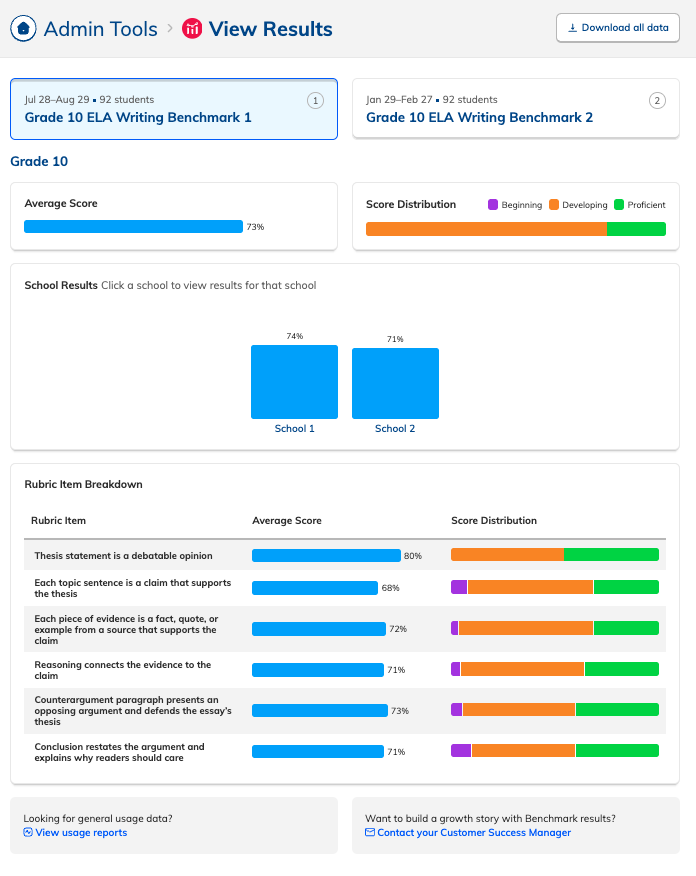
When it comes to reviewing Writing Benchmark data as an administrator, you can drill down into results by:
- School
- Teacher
- Rubric item
- Overall student performance
To ensure you and your teachers can use this data meaningfully to inform instruction, we recommend taking the following steps:
- Review and Reflect on Results – Schedule department or PLC meetings for teachers to interpret class and student results, identify strengths and priority rubric criteria, and select 2–3 writing skills to target before the next Benchmark.
- Assign Writing Practice – Encourage teachers to assign targeted Practice to build mastery of the priority writing skills identified in Benchmark data.
- Assign Writing Applications – Have teachers reinforce these skills through applied writing, such as Quick Writes, Guided Short Responses, or Guided Essays, ideally in the same genre as the Benchmark.
- Promote Writing Conferences - Encourage teachers to discuss benchmark results with students through one-on-one conferences
- Consider Context - Remember that benchmarks are a snapshot of the current state of students' writing abilities.
- Review Trends - Schedule a consultation with your Customer Success Manager to analyze high-level patterns (ensure all benchmarks are fully graded before this step).
- Schedule professional development: Plan dedicated training sessions for teachers on how to utilize benchmark results to inform instruction.
- Time your professional development strategically: Schedule PD sessions shortly after the Benchmark window closes, once teachers have access to results and time to reflect on data.
This ensures your benchmark data becomes a meaningful tool for instructional planning! These steps can help teachers interpret and translate data insights into targeted interventions and instructional adjustments that support student writing development throughout the year.
Supporting Student Growth
After the Benchmark window closes, administrators play a key role in helping teachers turn results into action. Refer to this article for best practices on guiding teachers to interpret data, identify strengths and areas for growth, and assign targeted NoRedInk activities that help students strengthen their writing before the next Benchmark.
Tracking Participation Status
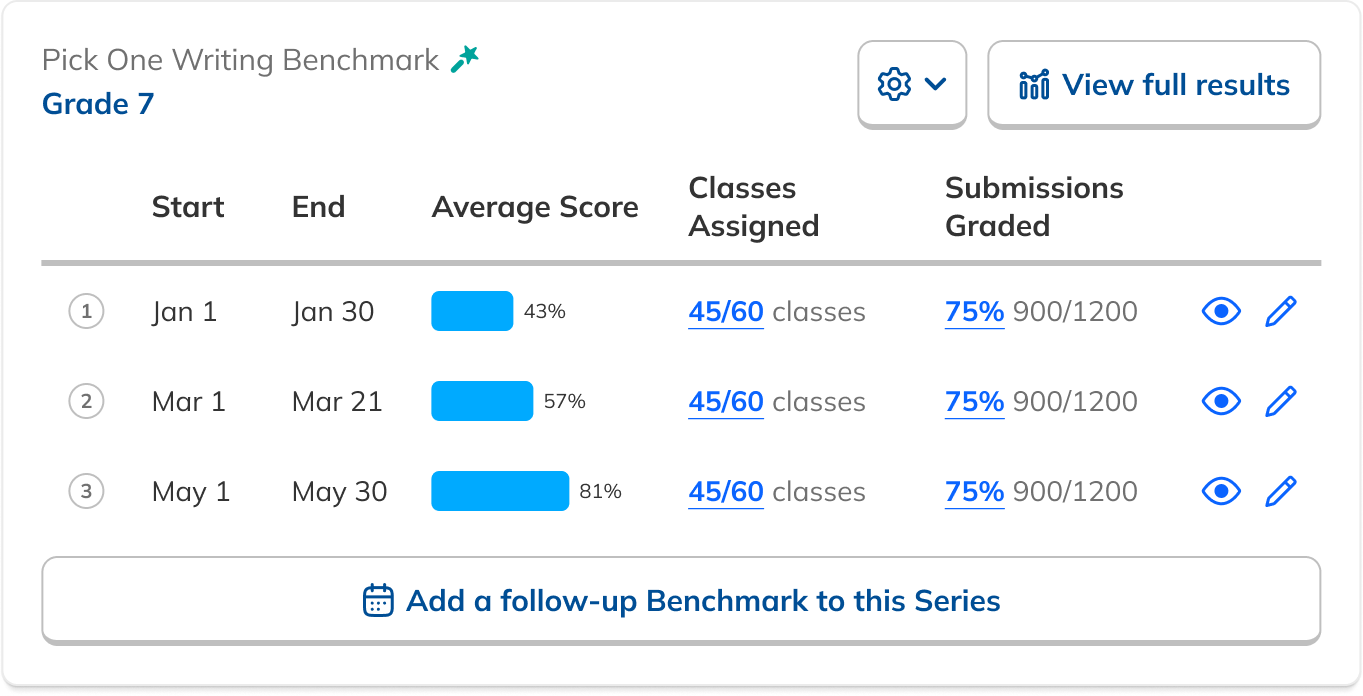
To ensure representative results, it’s important to reach a critical mass of teacher and student participation. We recommend that at least 50% of the eligible classes, those tagged with the target grade level, and 50% of the assigned students complete the benchmark cycle, meaning the assignment has been created, submitted and graded.
To keep administration on track, consider reaching out to teachers who haven’t yet assigned the Writing Benchmark to encourage participation. To learn more about assigning Writing Benchmarks, check out our article on how to create a Writing Benchmark.
Measuring Progress
The final step in this process is to schedule and administer a follow-up Benchmark if you have not already. This process will be similar to the steps outlined above:
- Create and schedule a follow-up Benchmark that directly aligns with the Benchmark administered earlier in the year (same rubric, genre, etc.).
- Ensure sufficient time has passed between each benchmark to allow for targeted instruction and measurable student growth. We recommend a 3-month gap, with a minimum of 4 weeks between administrations.
- Share Benchmark directions, expectations, and links with teachers (we recommend a 2-3 week administration window).
- Schedule time with your Customer Success Manager to review high-level trends.
Lastly, it could be vital for future Benchmarks to capture additional feedback from teachers regarding the process. What went well? What could help this process run smoothly in the future?
💡One piece of feedback we've received is that having NoRedInk embedded into pacing guides helps teachers prioritize what content to teach during each semester.